> For the complete documentation index, see [llms.txt](https://about.petopiagame.io/llms.txt). Markdown versions of documentation pages are available by appending `.md` to page URLs; this page is available as [Markdown](https://about.petopiagame.io/tutorials/your-mirai-id-to-petopia-adventure.md).
# Your Mirai ID to Petopia Adventure
When you create a Petopia account you’ll get a unique Mirai ID that serves as the catalyst for an effortless onboarding experience across all Mirai products and other Mirai games, with a single login through your supported social or email accounts.
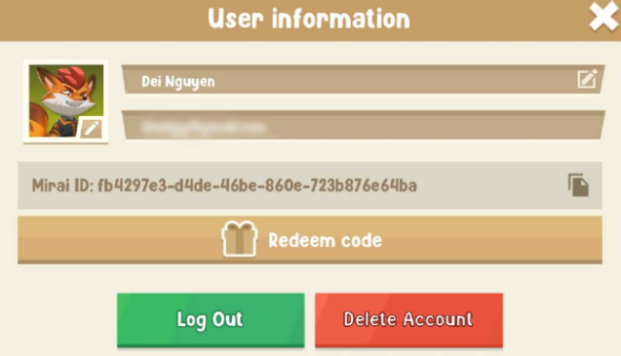
You can find your Mirai ID in user information. Now, just do the same thing you did when making your Petopia account to set up your Mirai Account and keep that Mirai ID in sync. Check here for more info!
**Linking an Existing Mirai ID for Guest User**
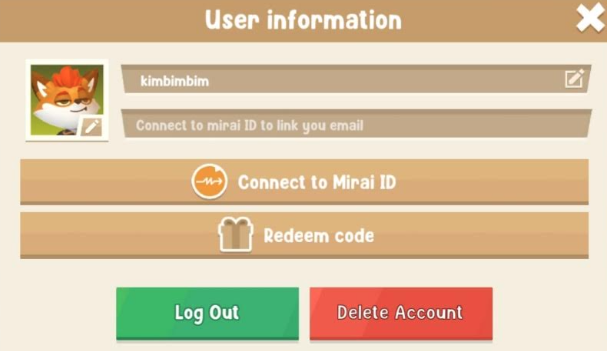
Started playing in Petopia as a guest? Now, if you've got your Mirai ID and want to link up to access more features such as Shards, here's how:
1. Go to User Information and hit the \[Connect to Mirai ID] button.
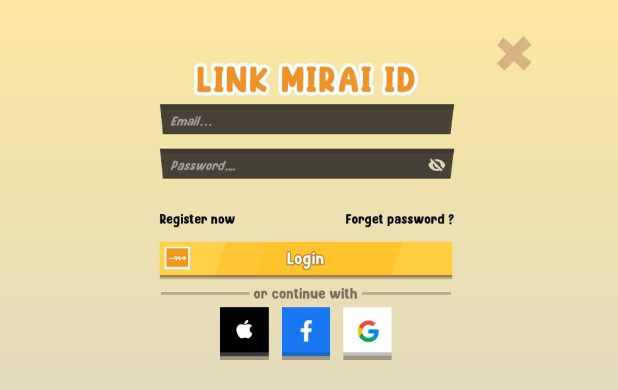
2. Log in your Mirai ID with your email or social account.
3. Once that's done, wait a bit, and you're all set.
That's it! Your Mirai ID is now officially linked to Petopia. Take a peek, and you should spot the same Mirai ID on both accounts. Please note to use the same gaming and Mirai App accounts to keep your Mirai ID the same.
\
.jpg)